What is a custodian in eDiscovery? A custodian is a person who possesses or controls potentially relevant electronic information. In email discovery, the practical starting question is simple: whose messages might help explain the disputed events?
The answer, identifying the right custodians, shapes every subsequent decision in the eDiscovery process. Get it right and you preserve the relevant record efficiently. Get it wrong and you either miss critical evidence or bury your review team in irrelevant data.
Here is what small firm attorneys need to know about custodians.
What a Custodian Is
In eDiscovery, a custodian is any person who has possession, custody, or control over potentially relevant electronically stored information. For email, this typically means anyone who sent, received, or was copied on relevant communications during the relevant time period. Shared mailboxes and automated systems also need to be mapped as data sources, rather than treated as people who can receive and acknowledge a hold notice.
An information custodian in this context is not necessarily the organization's designated custodian of records. The latter generally maintains records and may explain recordkeeping practices or assist with authentication. A project manager holding relevant emails can be an eDiscovery custodian without having that formal records role. Our guide to authenticating email evidence explains the separate question of establishing what a record is.
Custodians are not limited to parties in the litigation. An employee who witnessed relevant events, a manager who made decisions about the matter, or an assistant who handled logistics may all be custodians whose email is relevant.
The custodian concept is important because most eDiscovery systems and most litigation holds are organized around custodians rather than documents. When you issue a litigation hold, you issue it to custodians. As our litigation hold letter template explains, the hold notice itself is the first checkpoint in preserving records from each identified person. When you collect email, you collect it from custodians. When opposing counsel asks for discovery, they often ask for "email of the following custodians."
How to Identify Custodians
Custodian identification is part investigation and part judgment. Here's a framework:
Start with the key players. Who were the principal people involved in the events at issue? In an employment dispute, this typically includes the employee, their direct supervisor, HR personnel who handled any complaints, and decision-makers involved in any adverse action.
Work outward from the key players. Who did the key players communicate with about the relevant matters? Who had knowledge of the events? Who was copied on significant emails? These secondary custodians often hold important context.
Consider former employees. If relevant events occurred before someone left the organization, their email during their tenure may still be relevant. Former employees are custodians too, even if their data is in an archive.
Think about where information lives. Email is the obvious starting point, but consider whether relevant communications occurred through other channels: instant messaging, shared drives, mobile devices, personal email used for business.
Map each source to the person or team responsible for preserving it. Keep original messages, attachments, and available headers together; the email metadata guide explains why a readable copy alone may omit useful context.
Ask your client. Attorneys sometimes overlook the most direct source of custodian information: the client who was there. Who did they interact with? Who would have knowledge of the relevant events? Who cc'd them on important communications?
The Proportionality Question
Not every possible custodian needs to be included in discovery. FRCP Rule 26(b)(1) requires discovery to be proportional to the needs of the case. For custodian identification, this means thinking critically about which custodians are likely to have material information versus which would add volume without value.
A junior employee who was peripherally involved in one aspect of a matter may not need to be a custodian. A senior executive who made key decisions clearly does. The goal is complete coverage of the people whose email matters, without expanding scope unnecessarily.
In practice, the opposing party will often push for additional custodians, and you'll push back. Starting with a reasonable, well-justified custodian list that you can explain and defend puts you in a better position than starting with either too few (and being seen as incomplete) or too many (and creating an unmanageable review burden). Our email chain of custody guide covers why proper documentation starts the moment custodians are identified.
Custodian Documentation
For each custodian, document:
- Name and role at the relevant time
- Why they are a custodian, what information they likely possess and why it is relevant
- Email accounts, corporate accounts, and any personal accounts used for business
- Devices, if relevant communications occurred on a personal phone or laptop
- Dates of relevance, when they had involvement with the relevant matter
- Current status, still employed? Left the organization? Left on good terms?
This documentation serves two purposes: it helps you manage the collection process, and it creates a record that the identification was thoughtful and complete.
Litigation Hold Implications
Once you've identified custodians, send appropriate litigation hold notices and coordinate with authorized IT administrators to suspend relevant deletion processes and apply preservation controls. A notice does not itself place a technical hold on an account. The hold notice should explain, in terms the custodian can understand, what they need to preserve and what they must not delete. As our guide to preserving email evidence explains, source records are the bedrock of any collection effort from these accounts.
Follow up with custodians to confirm receipt and understanding. Document the follow-up. One of the most common spoliation fact patterns involves a hold notice that was issued but never confirmed, and then emails deleted because a custodian didn't understand they were supposed to preserve them.
Over-Identification vs. Under-Identification
Both errors are costly, in different ways.
Over-identification, including too many custodians, drives up collection, processing, and review costs. It creates a larger privilege review burden. It slows down the process. And it may give opposing counsel more material to work with than they would otherwise have.
Under-identification, missing relevant custodians, creates risk. If it later emerges that a custodian with significant relevant information was not included in the litigation hold and their emails were deleted, that is a potential sanctions issue. Courts take gaps in custodian identification seriously when the gap appears to have resulted in the loss of relevant evidence.
The right approach is deliberate rather than reflexive in either direction. Think through who actually had relevant information, document your reasoning, and be prepared to explain and defend your custodian list.
A Practical Workflow
For a typical employment or commercial matter at a small firm:
- Interview your client about who was involved and who would have relevant information
- Draft an initial custodian list with each person's role and basis for inclusion
- Issue the litigation hold to all identified custodians and IT
- Collect email from each custodian for the relevant time period
- Review the collected email; often you will find references to additional custodians you hadn't identified initially
- Expand the custodian list as needed and issue supplemental holds
- Disclose your custodian list to opposing counsel as required and be prepared to defend it
After collection, distinguish a review chronology from a discovery production. Check the requested format, scope, and privilege review before disclosing records; our guide to email evidence production mistakes covers common gaps.
Custodian identification is iterative. You rarely get it completely right in the first pass. Building a process that allows you to refine your list as the case develops, without losing preservation coverage, is what good practice looks like.
FAQ
What is a custodian in eDiscovery?
An eDiscovery custodian is a person who possesses or controls potentially relevant electronically stored information. For email, this can include senders, recipients, and people who retained relevant messages. Shared mailboxes and automated systems are data sources that should also be assessed, even when no single individual owns them.
How do you identify custodians for email discovery?
Start with people involved in the disputed events, then review who made decisions, witnessed events, or exchanged relevant messages. Interview the client, consider former employees, and map relevant accounts and systems. Document each person's role, date range, and reason for inclusion, then revisit the list as new evidence appears.
Is an eDiscovery custodian the same as a custodian of records?
Not necessarily. An eDiscovery custodian holds potentially relevant information because of their involvement or access. A custodian of records generally maintains an organization's records and may explain its recordkeeping practices or help authenticate records. One person can fill both roles, but a records custodian is not automatically every relevant email's sender or recipient.
Related reading
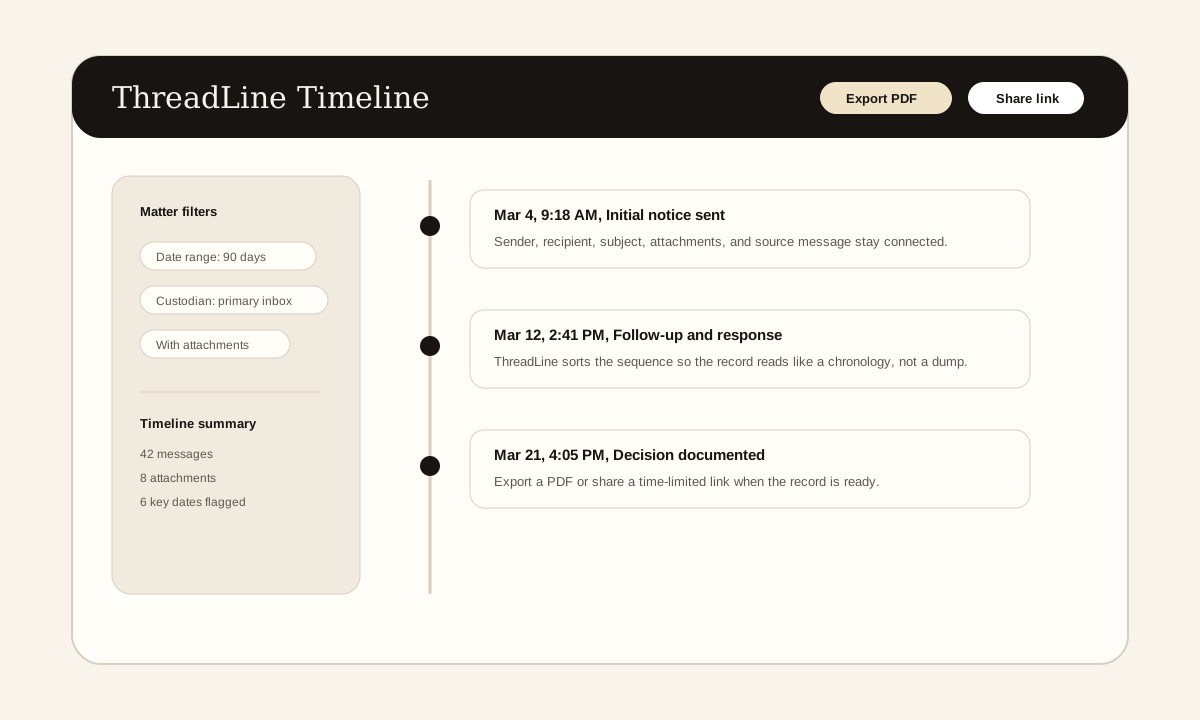
The screenshot above is a product example of the timeline view these articles describe: messages in order, source context preserved, and export or sharing controls available when the record is ready.
Need a clean email record without enterprise pricing?
ThreadLine gives small firms a court-ready email timeline in minutes. No Relativity, no per-gigabyte fees, just a clear, chronological record you can share or export. First timeline is free.
Working an active case? A $49 Case Pass covers 90 days with no subscription.
Need to organize the record first? Get the free dispute documentation checklist.
← Back to all posts